Family Health Archive

When the doctor asks what runs in your family, you’ll know.

Conditions, medicines, allergies, lab results and the things only Mum remembers, for everyone you care for. Kept on your phone, encrypted. No account, and nothing stored with us.

Android Coming to Google Play iPhone Coming to the App Store
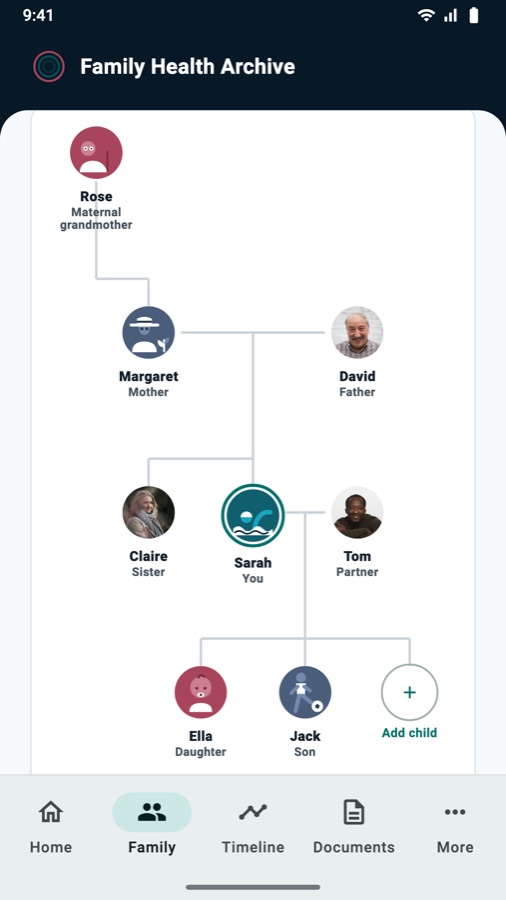
The app's family tree: Sarah with her partner Tom, children Ella and Jack, her sister Claire, parents Margaret and David, and grandmother Rose

Sarah’s family, four generations on one screen. (A made-up family.)

Why I built it

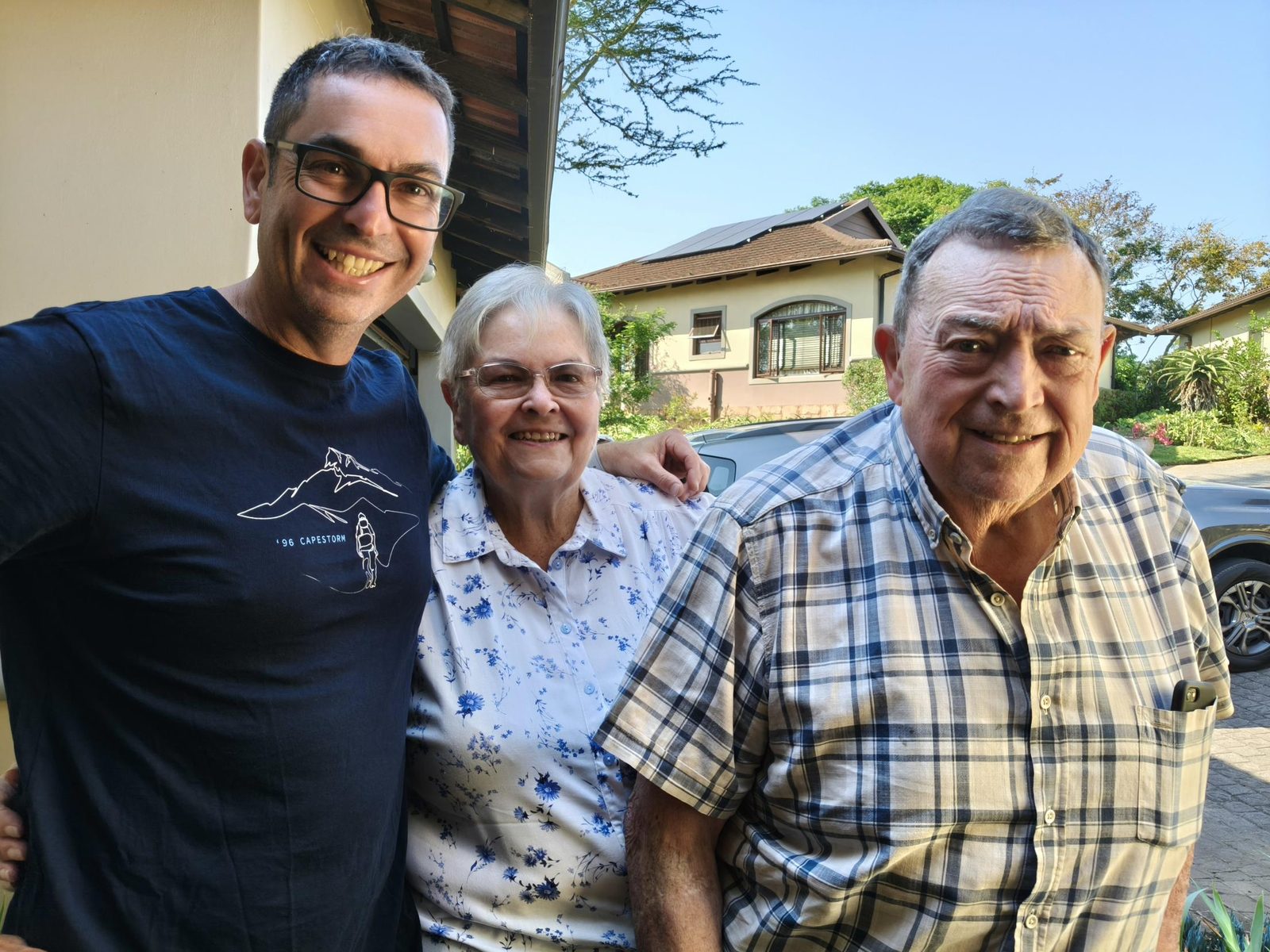
Paul Healy with his mother and father
“Most of a family’s health history isn’t in a medical file. It’s in people’s heads.”

Paul Healy, founder. Read the story

Ask before the stories are gone

Margaret remembers that her mother Rose had a stroke, and was “on tablets for her thyroid”. Sarah writes the questions down, asks them over Sunday lunch, and the answers stay with Rose’s record.

The guided interview walks you through a 15–20 minute conversation with a parent or grandparent.

Ask the family
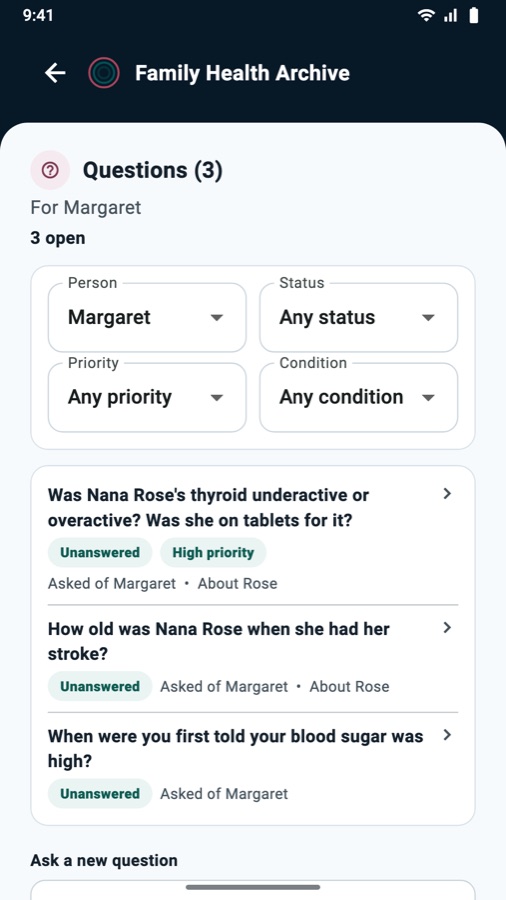
Three open questions for Margaret, including how old Nana Rose was when she had her stroke

Lab results you can actually follow

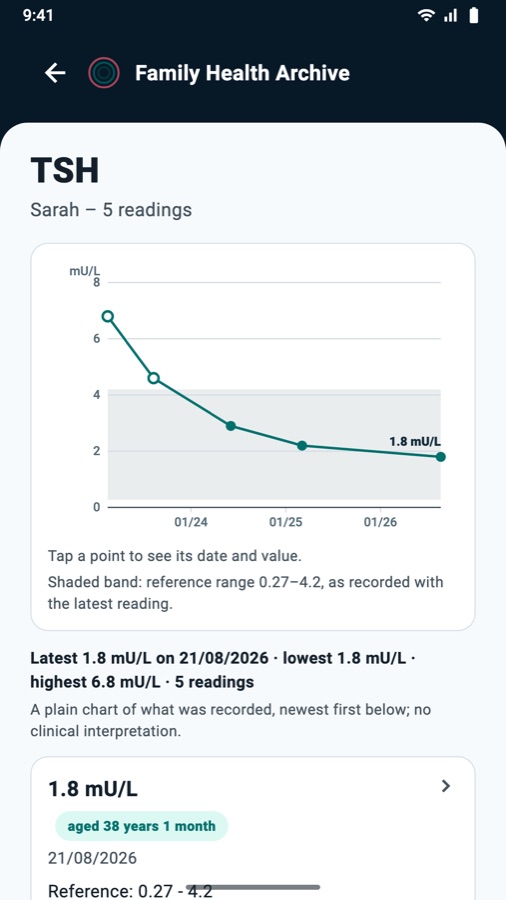
Take a photo of a lab report, or open the PDF. The app reads the values, you check them, and each result joins a plain chart for that person, with the range the lab printed.

It shows what was recorded. It doesn’t interpret it: that’s for your doctor.

Lab results and trends
A chart of Sarah's thyroid (TSH) results over three years, coming down into the lab's range

From the red book to their first job

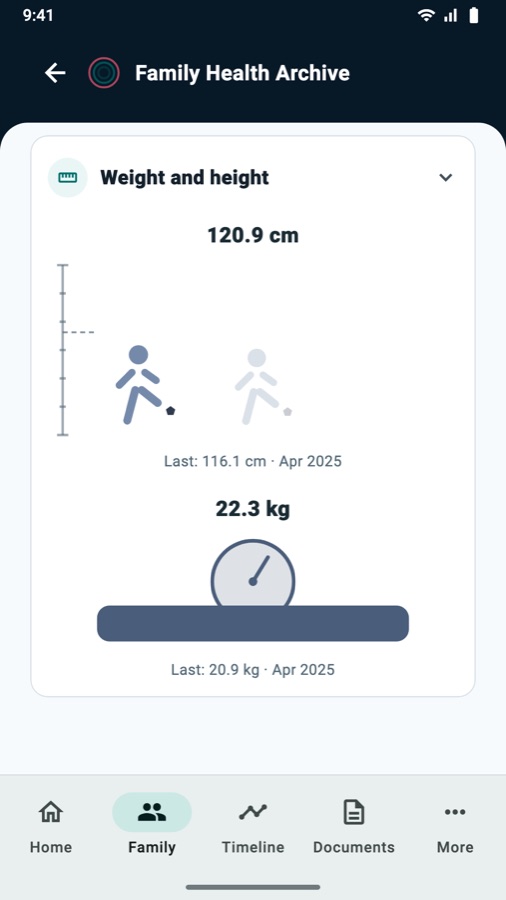
Heights and weights, vaccinations, and every bout of tonsillitis, in the order they happened. Each child is compared only with their own earlier readings.

When they leave home, you can hand them their own history.

Children’s growth and illnesses
Jack's height and weight over the years

Also in the app: a whole-family timeline, documents, medicines and allergies, and export whenever you like. Viewing, export, backup and restore are always free.

What we hold about your family: nothing.

There’s no account to make and no server with your records on it. Here’s where everything actually lives.

On your phone
Your archive, encrypted with a password only you know. We can’t reset it and we can’t read it.
In your backups
Encrypted backup files, saved only when you choose and only where you choose: this phone, Google Drive, iCloud Drive or a computer.
With us
Nothing. We have no servers that hold your records, no accounts and no copy of your password or recovery key.

25 questions to ask your parents about their health

What to ask, how to start the conversation, and what to write down. Free to print and share. No email needed.

Get help

Email us and we'll reply within two working days. Read our privacy policy.

support@familyhealtharchive.com

I forgot my password

We can't reset it, because we never have it. Restore from a backup using that backup's recovery key, then set a new password.

I have a new phone

Install the app, choose "I have a backup to restore", pick your backup file and enter its recovery key.

Where should I keep backups?

Somewhere other than your phone, such as Google Drive, iCloud Drive or a computer. Keep the recovery key somewhere separate from the phone too.